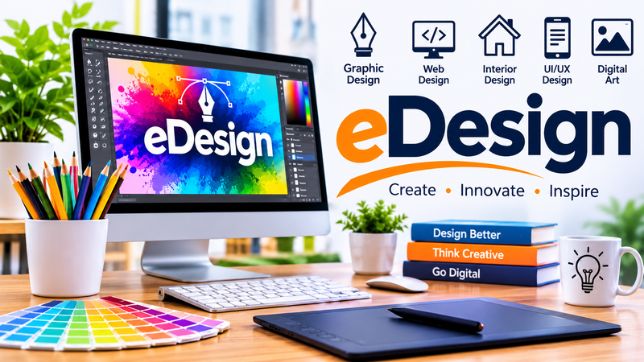
eDesign is a modern approach to creating, developing, and presenting visual designs through digital tools and online platforms. It combines creativity, technology, and design principles to produce attractive and functional digital experiences. From website layouts and graphic designs to digital marketing materials and interior design concepts, eDesign has become an important part of today’s technology-driven world.
As businesses, individuals, and organizations increasingly depend on digital communication, the demand for professional design solutions continues to grow. eDesign makes it easier to create, edit, share, and manage design projects without relying entirely on traditional methods. It also allows designers to collaborate with clients and teams from different locations.
Whether used for branding, web development, advertising, or creative projects, eDesign offers flexible solutions that help turn ideas into visually appealing results.
What Is eDesign?
eDesign refers to the process of planning and creating designs using electronic devices, digital software, and online tools. The term covers a wide range of creative activities, including graphic design, web design, digital illustration, user interface design, and visual communication.
Unlike traditional design methods that may depend on paper, physical materials, and manual techniques, eDesign uses digital technology to simplify the creative process. Designers can experiment with colors, fonts, images, shapes, and layouts while making changes quickly.
For example, a business can use eDesign to develop its logo, create social media graphics, design a website, and prepare promotional materials. These digital assets can then be shared online, printed, or adapted for different platforms.
Key Features of eDesign
eDesign offers several features that make digital creativity more convenient and efficient.
1. Digital Creativity
One of the main features of eDesign is the ability to create original visual content using digital tools. Designers can develop illustrations, logos, banners, presentations, and other creative materials with greater flexibility.
2. Easy Customization
Digital design tools allow users to modify different elements of a project. Colors, fonts, images, backgrounds, and layouts can be adjusted according to specific requirements.
3. Online Accessibility
Many eDesign platforms are available through web browsers or cloud-based applications. This makes it possible to access projects from different devices and locations, depending on the platform.
4. Collaboration Tools
eDesign supports teamwork by allowing multiple people to review, discuss, and contribute to projects. These features are particularly useful for businesses working with remote designers, marketing teams, and clients.
5. Faster Editing and Updates
Traditional design changes can sometimes require significant time and effort. With digital tools, designers can quickly update elements, correct mistakes, and produce revised versions.
6. Multiple Export Options
Completed designs can often be exported in different formats, including PNG, JPG, PDF, and SVG. This makes digital designs suitable for websites, social media, presentations, and printing.
Different Types of eDesign
eDesign includes several creative disciplines. Each type serves a different purpose and supports various professional and personal requirements.
Graphic Design
Graphic design focuses on communicating ideas through visual elements. It includes logos, brochures, posters, advertisements, business cards, and social media graphics.
Businesses use graphic design to establish recognizable brand identities and communicate effectively with customers.
Web Design
Web design involves creating the appearance, structure, and user experience of websites. It focuses on navigation, typography, color combinations, page layouts, and responsive functionality.
A well-designed website helps visitors find information easily and creates a positive impression of a business.
Interior Design
Digital interior design allows professionals to plan and visualize indoor spaces using specialized software. Designers can experiment with furniture arrangements, lighting, materials, and color schemes before making physical changes.
UI and UX Design
User Interface (UI) design focuses on the visual elements of digital products, such as buttons, menus, icons, and screens. User Experience (UX) design focuses on how people interact with those products.
Together, UI and UX design help create applications and websites that are visually attractive, understandable, and easy to use.
Digital Illustration
Digital illustration involves creating artwork using drawing tablets, computers, and specialized applications. It is widely used in advertising, publishing, animation, gaming, and online content creation.
Benefits of Using eDesign
eDesign provides several advantages for individuals, designers, and businesses.
Cost-Effective Solutions
Digital design can reduce expenses associated with physical materials, printing samples, and repeated manual changes. Many platforms also provide affordable tools for individuals and small businesses.
Improved Productivity
Designers can reuse templates, adjust existing projects, and work with digital assets. These capabilities help save time and improve overall productivity.
Greater Creative Freedom
Digital tools provide access to a wide range of colors, effects, fonts, templates, and editing features. This allows designers to explore different ideas and create unique visual results.
Better Communication
Visual presentations make it easier to explain concepts and share ideas. Clients can review designs, suggest improvements, and provide feedback before a project is finalized.
Environmentally Friendly Approach
Because many design processes can be completed digitally, eDesign may reduce the need for paper, physical samples, and other materials. This can support more sustainable creative workflows.
Flexibility and Scalability
Digital designs can be resized, updated, and adapted for different platforms. A single brand design, for example, can be modified for a website, social media account, email campaign, or printed advertisement.
How Does eDesign Work?
The eDesign process generally involves several steps that help transform an initial idea into a finished digital product.
- Understanding the Requirements: The designer identifies the project’s purpose, target audience, objectives, and preferred visual style.
- Research and Planning: Relevant information, design trends, competitors, and creative references are reviewed.
- Creating Initial Concepts: The designer develops sketches, layouts, wireframes, or digital prototypes.
- Design Development: Colors, typography, images, graphics, and other visual elements are combined to create the main design.
- Review and Feedback: The design is shared with the client or team for evaluation and suggested improvements.
- Final Editing: Necessary changes are made to improve appearance, usability, and consistency.
- Delivery and Publication: The finished project is exported in suitable formats and delivered or published on the required platform.
Following these steps helps maintain an organized workflow and improves the quality of the final result.
Popular Tools Used in eDesign
Several digital applications support different aspects of the eDesign process. The right tool depends on the type of project and the designer’s experience.
- Canva: Commonly used for social media graphics, presentations, posters, and marketing materials.
- Adobe Photoshop: Popular for photo editing, image manipulation, and digital artwork.
- Adobe Illustrator: Used for vector graphics, logos, icons, and illustrations.
- Figma: Supports interface design, prototyping, and collaborative design projects.
- Sketch: A digital design application used primarily for interface and product design.
- AutoCAD: Used for technical drawings, architectural planning, and design-related projects.
These tools offer different features, so selecting an appropriate application can make a significant difference in project quality and workflow efficiency.
Applications of eDesign in Different Industries
eDesign is used across numerous industries because digital visuals play an important role in communication, branding, and product development.
Business and Branding
Companies use digital design to develop logos, brand guidelines, advertisements, presentations, and marketing materials. Consistent visual branding helps businesses build recognition and establish trust.
Education
Educational institutions and teachers use eDesign to create digital learning materials, presentations, infographics, diagrams, and interactive resources. These materials can make complex topics easier to understand.
E-Commerce
Online stores depend on attractive product images, website layouts, promotional banners, and user-friendly interfaces. Effective digital design can improve the shopping experience and encourage customers to explore products.
Real Estate and Architecture
Architects and property professionals use digital design tools to prepare floor plans, building models, and realistic interior and exterior visualizations. These designs help clients understand projects before construction begins.
Digital Marketing
Marketing professionals use eDesign to produce social media posts, email graphics, online advertisements, landing pages, and promotional campaigns. Attractive visuals can help capture attention and communicate marketing messages.
Entertainment and Media
The entertainment industry uses digital design for video graphics, animations, game environments, posters, album artwork, and promotional content.
eDesign and the Importance of User Experience
A successful digital design is not only about appearance. It should also provide a smooth and understandable experience for its intended audience.
For websites and applications, good user experience means that visitors can navigate pages, find information, and complete actions without unnecessary difficulty.
Designers consider several factors when developing user-friendly digital products:
- Clear navigation and organized layouts.
- Readable fonts and appropriate text sizes.
- Consistent colors and visual elements.
- Mobile-friendly and responsive designs.
- Accessible content for different users.
- Fast-loading and well-structured pages.
Combining visual appeal with usability makes digital products more effective and valuable.
Challenges Associated With eDesign
Although eDesign offers many advantages, it also comes with certain challenges.
Learning New Technologies
Digital design applications frequently introduce new features and updates. Designers need to continue learning to remain familiar with modern tools and techniques.
Maintaining Originality
Because many people use similar templates and design resources, creating distinctive work can be challenging. Original ideas, careful planning, and creative thinking are essential.
Software and Equipment Costs
Some professional design applications require paid subscriptions or powerful computer hardware. These expenses may create difficulties for beginners and smaller businesses.
Technical Issues
Internet connectivity problems, software errors, and file compatibility issues can interrupt the design process. Regular backups and suitable file management practices can help reduce these risks.
Meeting Client Expectations
Clients may have different opinions about colors, layouts, and visual styles. Clear communication and an organized feedback process help prevent misunderstandings.
The Future of eDesign
The future of eDesign is closely connected to developments in artificial intelligence, automation, augmented reality, and digital collaboration.
Artificial intelligence is already helping designers generate ideas, remove image backgrounds, improve photographs, create layouts, and speed up repetitive tasks. These technologies can support creativity while allowing professionals to focus on more complex design decisions.
Augmented reality and virtual reality may also create new opportunities for interactive design experiences. For example, customers could preview furniture in their homes or explore architectural concepts through immersive digital environments.
Another important development is the growing demand for responsive and accessible design. As people use smartphones, tablets, computers, and other connected devices, designers must create experiences that work across different screen sizes and user needs.
Overall, eDesign is likely to become even more flexible, collaborative, and technology-driven in the coming years.
Who Can Benefit From eDesign?
eDesign is useful for a wide range of people, including:
- Business Owners: To develop professional branding and promotional materials.
- Graphic Designers: To create digital artwork and commercial designs.
- Students: To prepare presentations, creative assignments, and educational projects.
- Marketing Professionals: To produce engaging visual content for online campaigns.
- Web Developers: To plan website layouts and improve digital interfaces.
- Content Creators: To design thumbnails, social media graphics, and other online materials.
- Architects and Interior Designers: To visualize spaces and present design concepts.
Both beginners and experienced professionals can benefit from digital design tools by selecting applications that match their goals and skill levels.
Tips for Creating Effective eDesign Projects
Creating a successful digital design requires more than simply using advanced software. A thoughtful approach can improve the quality and effectiveness of the final result.
- Define Your Goal: Understand what the design should communicate and who will see it.
- Keep the Layout Simple: Avoid unnecessary elements that distract from the main message.
- Choose Suitable Colors: Use a consistent color palette that matches the project’s purpose.
- Use Readable Typography: Select fonts that are easy to read on different devices.
- Prioritize Quality: Use clear images and properly aligned visual elements.
- Consider Mobile Users: Make sure digital designs work well on smaller screens.
- Request Feedback: Review the design with others and make improvements where necessary.
- Stay Updated: Explore new design techniques and technologies to improve your skills.
Conclusion
eDesign has transformed the way people create, share, and experience visual content. By combining creativity with digital technology, it provides flexible solutions for graphic design, website development, branding, interior visualization, and many other applications.
Its benefits include improved productivity, easier collaboration, greater customization, and cost-effective creative workflows. Although designers may face challenges such as software costs, technical issues, and the need to maintain originality, the opportunities offered by digital design continue to expand.
As artificial intelligence, virtual reality, and other technologies develop, eDesign will likely play an even greater role in shaping digital communication and creative industries. Whether someone is a business owner, student, professional designer, or content creator, understanding eDesign can help them communicate ideas more effectively and create meaningful digital experiences.
FAQs)
1. What does eDesign mean?
eDesign refers to creating and developing visual designs using digital tools, electronic devices, and online platforms. It includes graphic design, web design, digital illustration, and other creative activities.
2. What is eDesign used for?
eDesign is used to create websites, logos, advertisements, social media graphics, digital illustrations, interior design concepts, presentations, and other visual materials.
3. Is eDesign suitable for beginners?
Yes. Beginners can start with easy-to-use platforms such as Canva and gradually learn more advanced applications as their design skills improve.
4. What tools are commonly used for eDesign?
Popular tools include Canva, Adobe Photoshop, Adobe Illustrator, Figma, Sketch, and AutoCAD. Each application supports different types of digital design work.
5. What are the main benefits of eDesign?
Its main benefits include flexibility, faster editing, creative freedom, easier collaboration, reduced material costs, and the ability to share designs digitally.
6. Is eDesign different from traditional design?
Yes. Traditional design often involves physical materials and manual processes, while eDesign uses digital software and electronic devices to create, edit, and distribute visual content.
7. Can eDesign help businesses grow?
Yes. Professional digital designs can strengthen brand identity, improve online presentation, support marketing campaigns, and create better experiences for customers.
8. What is the future of eDesign?
The future of eDesign is expected to involve greater use of artificial intelligence, automation, augmented reality, virtual reality, and collaborative digital platforms.